

You set your thermostat to cool on a hot Austin afternoon, expecting that familiar rush of cold air. The system responds halfway. The compressor kicks on, but the outdoor unit sits still, silent when it should be working hardest.
The condenser fan is supposed to spin, pulling heat away from your home, yet nothing moves. That stillness is more than a small hiccup. It is often the first clear sign that something inside your system is starting to fail, and it does not take long before indoor temperatures follow.
In many cases, the issue starts with the capacitor, a small part that plays a big role in getting the fan moving. From there, the problem can branch into power supply issues, blocked blades, or a thermostat that is not sending the right signal. When those quick checks do not solve it, the situation usually points to deeper component failures like the fan motor, contactor, or even the compressor itself, all of which require a closer look.
A condenser fan that refuses to spin rarely fixes itself, and waiting too long can turn a manageable repair into a full system breakdown.
Read on to understand what is happening inside your unit, how to spot the exact cause, and what steps make the most sense before the heat inside your home starts to feel permanent.
Key Takeaways
- Failed run capacitors are the most common reason condenser fans refuse to spin during startup.
- Tripped breakers, thermostat settings, and debris buildup can also prevent outdoor condenser fan operation.
- Running AC without a spinning condenser fan can quickly overheat and damage the compressor permanently.
- Grinding noises, overheating motors, or manually assisted startup often indicate failing motor bearings inside.
- Fast diagnosis prevents small condenser fan problems from becoming expensive full-system air conditioning breakdowns.
Why Your Condenser Fan Won’t Spin on Startup
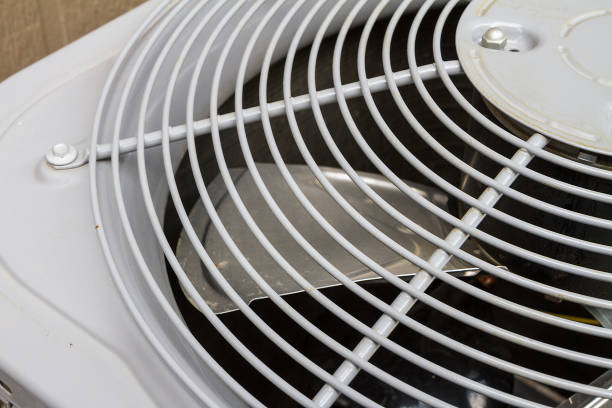
Your AC system has two main parts: the indoor evaporator coil (in your furnace or air handler) and the outdoor condenser unit. When you set the thermostat to cool, the compressor runs and pumps refrigerant to the outdoor unit. The condenser fan’s job is to pull outdoor air across the hot condenser coils so heat can escape and cool air can cycle back inside.
The fan should spin as soon as the compressor turns on (or immediately after, depending on the model). When it doesn’t spin on startup, you’ve got no heat rejection, which means the compressor will overheat, the system will short-cycle or shut down completely, and your home stays hot.
The startup failure is different from a fan that runs sometimes, or that’s just slow. A fan that won’t start at all points to a few specific culprits, and most of them you can diagnose yourself before calling for service.
Check #1: The Run Capacitor (Most Common Culprit)
The run capacitor is a metal cylinder bolted to the side of the outdoor unit. This is the #1 reason condenser fans don’t start.
A run capacitor stores and releases electrical energy to give the fan motor the “kick” it needs to start spinning, then keeps it running smoothly. When the capacitor fails, which typically happens after 3–5 years in the Texas heat, the motor has no power burst to overcome inertia. The fan won’t start, even though the rest of the circuit is live.
How to tell if it’s your capacitor:
- You hear a hum from the outdoor unit when the system calls for cooling, but the fan doesn’t turn on
- The hum is steady and doesn’t stop (the motor is trying but can’t overcome starting friction)
- The system eventually shuts down to protect itself
What you can do:
Don’t try to replace the capacitor yourself; it holds an electrical charge even when the power is off, and a shock is a real risk. But you can identify it and confirm it’s the problem. Look at the side of the outdoor unit and find a cylindrical component with two or three terminals. A failed capacitor often has a bulged or domed top (instead of flat). If it looks swollen or there’s oily residue underneath it, that’s a good sign it’s failed.
Pro tip: Take a photo of the capacitor and note its microfarad (μF) rating, usually printed on the side. When you call ATX Heating & Air Conditioning LLC, you’ve already done half the diagnosis.
Check #2: Power and Circuit Breaker
A dead circuit or tripped breaker is the second most common reason. Your AC unit should have its own dedicated breaker in your electrical panel.
What to do:
- Locate your main breaker panel (usually in the garage, basement, or utility closet)
- Find the breaker labeled for your AC or outdoor unit
- Check if it’s in the middle or “off” position. The tripped breaker often looks slightly off-center
- If it’s tripped, flip it fully off, then back on
- Go outside and listen for the fan to start within 10–15 seconds
If the breaker trips again immediately, there’s a short in the system, and you need professional service. If the breaker stays on and the fan starts, you’re done. Congratulations.
If the breaker is already in the “on” position, move to the next check. Flipping a breaker that’s already on won’t help, and it might indicate the problem isn’t electrical supply.
Check #3: Thermostat Setting and Temperature Differential
This sounds obvious, but it’s worth verifying: your thermostat needs to be set to cool mode and the setpoint needs to be below the current indoor temperature.
What to check:
- Mode: Is it set to “Cool” (not “Heat,” “Off,” or “Fan Only”)?
- Setpoint: Is the temperature you set actually lower than the current room temperature? If your home is 78°F and you’ve set the thermostat to 72°F, the system should call for cooling immediately.
- If you have a programmable or smart thermostat, check that no schedule is preventing the cooling mode from running
Once you’ve confirmed the thermostat settings, wait 30 seconds. The compressor usually starts first, then the condenser fan follows. If you see the compressor running but the fan still won’t start after a full minute, move on to the next check.
Check #4: Debris and Fan Blade Obstructions
Outdoor condensers are magnets for debris. Leaves, grass clippings, dirt, and pine needles can jam the blades or pile up around the unit, blocking airflow and preventing the fan from spinning freely.
What to look for:
- Leaves or grass stuck between the fan blades
- Heavy dust/dirt accumulation on the fins and around the motor housing
- Visible damage to the fan blades (bent, cracked, or missing pieces)
- Something blocking the unit from the sides (AC unit too close to a fence, shrub, or wall)
What you can do:
- Turn off the system at the breaker first
- Gently remove visible debris by hand or with a soft brush
- Do not force the fan blades. If something is jammed, stop and call for service
- Make sure there’s at least 2–3 feet of clearance on all sides of the outdoor unit
A clogged or obstructed unit can also cause the thermal overload to trip, shutting the system down as a safety feature.
Check #5: Listen for the Contactor Click
When the thermostat calls for cooling, an electrical component called the contactor should click, producing a distinct “tick” sound that energizes the compressor and fan circuits. If you don’t hear this click, the signal isn’t reaching the outdoor unit.
What to do:
- Turn up the thermostat 5–10 degrees (so the system cycles off)
- Then lower it 10 degrees below the current indoor temperature
- Listen closely to the outdoor unit for a clicking sound as it powers up
If you hear the click and the compressor starts, but the fan doesn’t, that points back to the fan circuit (capacitor, motor, contactor contacts). If you don’t hear a click at all, the signal from your thermostat isn’t reaching the unit, which could be a wiring issue, a thermostat problem, or a failure in the contactor itself.
Check #6: The Motor Bearings
If you’ve ruled out the capacitor, power, debris, and thermostat issues, the problem is likely inside the fan motor. Over time, motor bearings wear out, especially in the intense Texas heat. A worn bearing creates friction, preventing the motor from overcoming startup inertia.
Signs of a bearing problem:
- You hear a grinding or squealing noise from the outdoor unit (even if the fan isn’t spinning)
- The fan starts after a few minutes or if you gently push it by hand, then runs fine
- The motor feels hot to the touch (don’t touch it, but you can feel radiant heat)
A motor with failing bearings usually isn’t worth repairing. Replacement is more cost-effective and reliable.
Common Mistakes That Make It Worse
- Don’t force the fan blades. If something is jammed, forcing it can damage the motor shaft or bend the blades beyond repair. If the fan is truly stuck, call for service.
- Don’t assume it’s the compressor. Many homeowners hear “condenser not working” and think the compressor is bad. Compressors are expensive. Usually, it’s the capacitor, and that’s a fraction of the cost.
- Don’t ignore the problem. A system running without a condenser fan will overheat and shut down. Running it repeatedly without addressing the issue can cause secondary damage to the compressor. The sooner you diagnose and fix this, the cheaper your repair will be.
- Don’t mess with the refrigerant. If you suspect a refrigerant leak or low charge, that’s not a startup issue; that’s something only a certified technician can handle legally and safely.
A South Lamar Homeowner Dealt With a Condenser Fan That Would Not Start
A homeowner near South Lamar Boulevard in Austin called ATX Heating & Air Conditioning LLC after noticing their outdoor AC unit humming loudly while the condenser fan stayed completely still. Inside the home, temperatures kept climbing even though the thermostat was set correctly.
Our technician inspected the system and found a failed run capacitor along with heavy debris buildup around the outdoor condenser unit that was restricting airflow. After replacing the capacitor, clearing the debris, and testing the fan motor, the system returned to normal operation and started cooling the home properly again.
This situation shows how a condenser fan problem can quickly strain the compressor and lead to larger AC repairs if ignored. Catching the issue early helped the homeowner avoid a full system breakdown during peak summer heat.
When It’s Time to Call a Professional
If you’ve worked through checks 1–6 and the fan still won’t spin, or if you’ve identified the capacitor as the problem but aren’t comfortable replacing it, it’s time to bring in an expert.
The good news is that most condenser fan issues are fixable and don’t require replacing the entire unit. A capacitor replacement takes 30 minutes and costs far less than replacing the compressor or motor.
ATX Heating & Air Conditioning LLC has been diagnosing and fixing these exact problems in the Austin area for over 13 years. If your fan won’t start, we can run a full electrical and mechanical diagnostic, identify the root cause, and get you back to cool, comfortable air the same day in most cases.
We also offer 24/7 emergency service, so if your system goes down in the middle of a heat wave, you’re not waiting until business hours. Call 737-406-8083 or schedule online, and we’ll get someone out to diagnose and repair your system fast.
FAQs
How much does a capacitor replacement cost?
A run capacitor replacement typically costs between $200–$400 including the part, labor, and service call. It’s one of the most affordable AC repairs and usually fixes the startup problem immediately.
Can I run my AC if the condenser fan isn’t working?
Technically, no. Or not for long. Running the compressor without the condenser fan will cause it to overheat and shut down. Repeated startup attempts can further damage the compressor. It’s safer to avoid running the system until the fan is fixed.
Why do capacitors fail so often in Texas?
Capacitors degrade faster in heat. Texas summers put constant stress on AC systems, and the hotter the outdoor temperature, the faster the capacitor wears out. Most run capacitors last 3–5 years in Texas, compared to 10+ years in cooler climates.
Is the fan motor always bad if it won’t start?
No. In most cases, it’s the capacitor, not the motor. A motor failure is less common and more expensive, which is why it’s always worth checking the capacitor first.
Should I replace the capacitor myself?
It’s not recommended. Capacitors hold a charge even when power is off, and improper discharge can cause serious injury. Let a certified technician handle it safely.
How long does it take to fix a non-spinning condenser fan?
Most commonly, 1 hour for diagnosis and repair. If the motor needs replacement, it might take 2–3 hours, depending on the unit. Emergency calls are prioritized, and we aim to be at your home within 2 hours of your call.

